ENTRENCHED Tools
Checklists and cheatsheets you can use mid-session — no fluff, no fake codes.
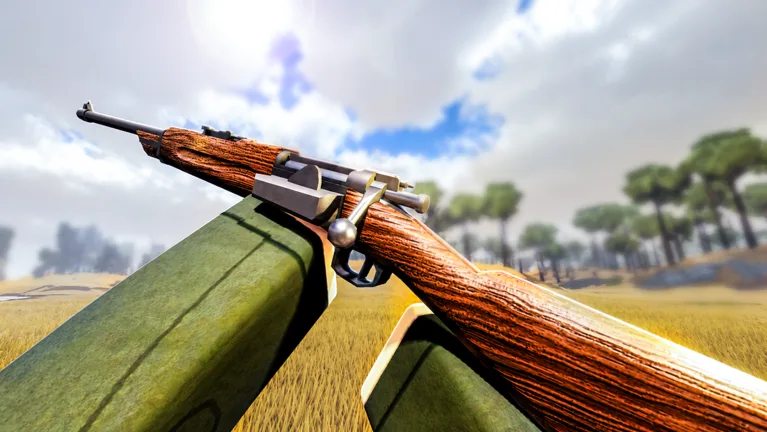
Not every wiki visit needs a six-hundred-word essay. Sometimes you are in a Roblox lobby with thirty seconds before deploy and you need a decision framework or a controls reminder. The Tools hub collects short, actionable references for ENTRENCHED WW1 players — the same information scattered across Guides, Classes, and Tier Lists, compressed into formats you can skim on a second monitor or phone.
Tools here are fan-made reference pages, not in-game mods. They do not interact with Roblox clients, grant unfair advantages, or replace practice. They help you pick the right class, remember key binds, and avoid common mistakes that cost tickets in Frontline, Conquest, and Domination.
Tools on this wiki
Class Picker (featured)
A step-by-step checklist: game mode, map feel, squad gaps, your rank, and comfort with range. Answer each prompt and the framework narrows nine classes — Rifleman, Skirmisher, Medic, Support, Assault, Engineer, Recon, Flamer, and Officer — to two or three sensible picks. Pair it with Beginner Picks if you are new.
Controls Cheatsheet
ENTRENCHED supports PC, mobile, and console. This page lists movement, aim, interact, build, and medic actions in one table so you are not guessing mid-fight. Cross-link to Getting Started for broader onboarding.
When to use tools vs guides
| Situation | Use |
|---|---|
| First hour in ENTRENCHED | Getting Started guide + Controls Cheatsheet |
| Stuck between Medic and Support | Class Picker |
| Learning a main class deeply | Classes Hub child guides |
| Arguing meta in Discord | Class Tier List |
| Checking for working codes | Codes Hub — no official codes exist |
Guides teach concepts; tools accelerate decisions you already understand at a basic level.
Related wiki sections
- Classes Hub — loadouts and counters for every infantry role.
- Tier List Hub — rankings if you want community consensus after using the picker.
- Updates Hub — control or class changes after patches.
- Scripts Hub — separate from tools; covers third-party scripts with account-risk notes.
- Official Links — Roblox game page and community hubs.
Safety and expectations
These pages will not list fake “code generators” or stat hacks. ENTRENCHED has no official promo-code system; anything promising free rank or cosmetics is a scam. Tools also will not auto-unlock Officer — that still requires rank 5.
If a tool recommendation conflicts with your squad call, follow the call. Public Roblox matches are chaotic; the picker assumes you want a sensible default, not a hard rule.
Planned expansions
As the wiki grows, this hub may add map callout sheets or ticket-timing calculators. For now, master the Class Picker and Controls Cheatsheet, then graduate to full class guides when you main a role.
Frequently Asked Questions
Quick answers for trench warfare and class play.
Are these tools allowed by Roblox?
Yes. They are static wiki pages with checklists and tables — not executors, scripts, or in-game exploits.
Which tool should I open first?
New players: Controls Cheatsheet, then Class Picker. Returning players swapping roles: Class Picker only.
Do tools replace tier lists?
No. The Class Picker asks about your situation; tier lists summarize community strength ratings. Use both.
Will you add a damage calculator?
Possible in future updates. Watch the Updates hub for wiki changelogs.